









What Is Interactive Sport Games and How Do They Work?
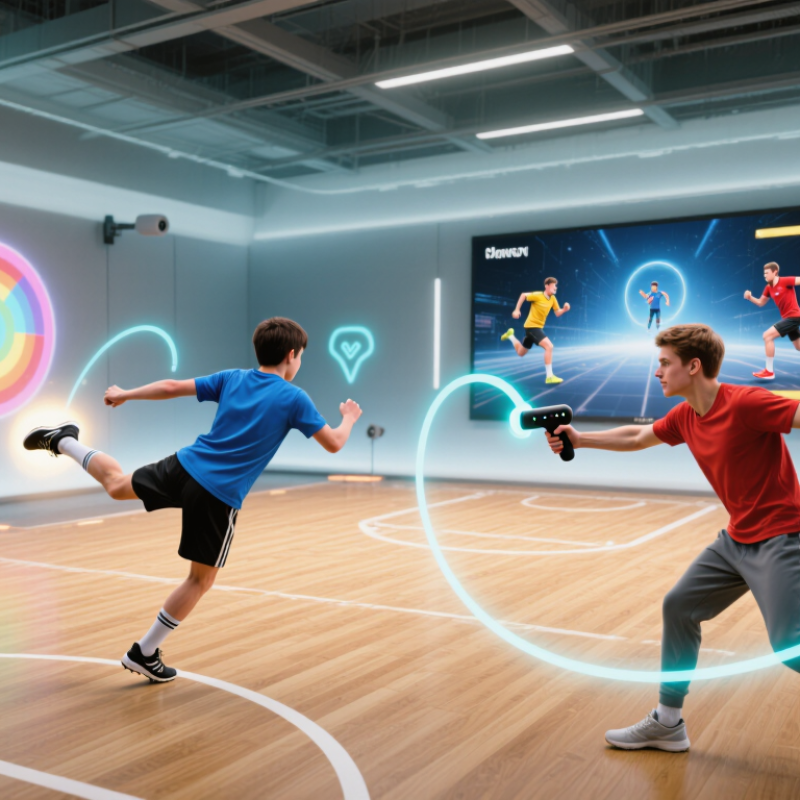
Interactive Sport Games bring physical movement, digital feedback, and game rules into one active experience. Players may kick toward a projected target, swing a motion controller, or race against a virtual opponent. Sensors track speed, balance, timing, and direction. Software then converts those actions into points, challenges, or changing game scenes.
Dr. Andy Miah, a sports technology and ethics scholar, describes sport as “the most visible laboratory for human enhancement.” His observation helps explain the appeal of InterActive Sport Games. These systems do more than entertain. They can support training, physical education, rehabilitation, and inclusive recreation when designed responsibly. A player might see a glowing target move across a wall, hear a short signal, and adjust their body within seconds. That immediate response makes the activity feel measurable and engaging.
However, the experience is not automatically accurate or fair. Some systems mistake limited movement for poor performance. Others may collect more personal data than players expect. Designers must consider consent, accessibility, safety, and transparent data practices. The strongest products explain how scoring works and allow users to adjust difficulty. Small details matter.
The technology still has weaknesses. It can reward speed while overlooking creativity, teamwork, or fatigue. That deserves reflection. This guide examines what Interactive Sport Games are, how their sensors and software operate, and why human-centered design remains essential. Understanding the mechanics helps players, educators, and organizations choose experiences that are enjoyable, reliable, and responsibly developed.
Definition and Core Features of Interactive Sport Games
What Is Interactive Sport Games and How Do They Work?
Definition and Core Features of Interactive Sport Games
Interactive sport games are digital activities that let players influence sports through movement, choices, or timed actions. They may use motion sensors, cameras, touch controls, or handheld devices. The player does more than watch. They serve, swing, run, defend, and react.
The core feature is real-time feedback. A system detects an action, processes it, and changes the game immediately. For example, a quick arm movement can control a virtual racket. A stronger movement may produce a faster shot. Clear instructions, responsive controls, and visible progress help players understand their performance. Some games also adjust difficulty as skills improve. This keeps practice active rather than repetitive.
Good interactive sport games should feel accessible, safe, and reasonably accurate. They need simple controls, readable screens, and enough space for movement. Motion tracking can misread a gesture, especially in poor lighting or crowded rooms. That weakness matters. Designers should explain limitations instead of promising perfect simulation. Players also need warm-up time and regular breaks, since excitement can hide physical fatigue. In my view, the strongest systems balance entertainment with useful feedback. They encourage better timing, coordination, and decision-making, although they cannot replace professional coaching or real-world practice.
What Is Interactive Sport Games and How Do They Work? - Definition and Core Features of Interactive Sport Games
| Data Dimension | Definition or Core Feature | How It Works | Typical Real-World Application |
|---|---|---|---|
| Definition | Interactive sport games are digital or physical activities in which a participant’s movements, decisions, or actions directly influence the game. | Sensors, cameras, controllers, touchscreens, or motion-detection systems capture player input and convert it into game events. | Virtual sports simulations, motion-controlled games, interactive fitness activities, and sports training systems. |
| Player Input | The physical or digital action used by a participant to control the game. | The system interprets button presses, gestures, body position, voice commands, touch, or equipment movement as control signals. | Swinging a controller like a racket, kicking toward a tracking area, or selecting a play on a touchscreen. |
| Motion Detection | The measurement of body or equipment movement during play. | Accelerometers, gyroscopes, infrared systems, cameras, or other sensors estimate position, speed, direction, and orientation. | Tracking a player’s running direction, the angle of a virtual golf swing, or the timing of a jump. |
| Real-Time Response | The game responds immediately or almost immediately to player actions. | Software processes input data and updates the visual, audio, or physical game state with minimal delay. | A virtual ball changes direction after a player moves a racket, or a score updates after a successful shot. |
| Game Rules | A defined set of objectives, boundaries, scoring conditions, and permitted actions. | The game engine compares player input with programmed rules to determine outcomes, penalties, progress, or victory. | Awarding points for accurate shots, limiting time, recording fouls, or requiring completion of a course. |
| Feedback Channels | Information returned to the player about performance and game status. | Displays, sounds, vibration, lighting, or physical resistance communicate success, errors, timing, and progression. | A scoreboard shows accuracy, an audio cue signals a missed target, or vibration confirms an in-game action. |
| Difficulty Adjustment | The ability to vary challenge according to player skill, progress, or selected settings. | The system changes speed, target size, opponent behavior, distance, time limits, or required precision. | Beginning with slow targets and gradually increasing their speed as performance improves. |
| Performance Metrics | Quantitative information used to evaluate game performance or physical activity. | The system records values such as score, time, repetitions, distance, speed, reaction time, or accuracy. | Comparing completion times, successful attempts, movement consistency, or training volume. |
| Multiplayer Interaction | Participation by two or more players in cooperative or competitive play. | The system synchronizes player inputs and applies shared rules to determine team or individual outcomes. | Relay challenges, head-to-head virtual matches, cooperative drills, or shared fitness tasks. |
| Immersive Environment | A digital or physical setting designed to make the activity feel responsive and sport-like. | Graphics, spatial audio, simulated physics, projection, or augmented elements represent the playing environment. | Practicing movement in a simulated court, field, track, or target-based environment. |
| Accessibility | Design features that allow people with different abilities and experience levels to participate. | Adjustable controls, seated modes, captions, audio cues, simplified inputs, and adaptable difficulty reduce participation barriers. | Using one-handed controls, visual alerts instead of sound, or reduced-movement game settings. |
| Primary Benefits | Potential physical, cognitive, educational, and motivational value of interactive sport play. | Immediate feedback and measurable goals can support practice, engagement, coordination, decision-making, and physical activity. | Skill rehearsal, active recreation, classroom activities, rehabilitation support, and structured exercise sessions. |
| Safety Considerations | Measures that help reduce injury, collision, fatigue, and equipment-related risks. | Clear play areas, movement limits, warm-up periods, appropriate intensity, supervision, and correctly calibrated equipment support safer use. | Removing obstacles, maintaining safe spacing, taking breaks, and selecting challenges appropriate to the player’s ability. |